
DDColor Photo Colorization
Full-stack sample (Next.js 16 + FastAPI) that bulk-ingests black-and-white scans to Backblaze B2, colorizes them in batches with DDColor running locally at original resolution, and writes colorized outputs, side-by-side comparisons, and a per-run manifest CSV back to B2 next to the untouched originals.
Built for: Developers and AI coding agents building colorization workflows for digital archives, newspaper morgues, or historical-society collections that need originals kept untouched beside every derived version.
What it's built with
Each piece of the stack, and the job it does in this project.
- Next.js 16 + React 19
- Web application and dashboard UI
- Tailwind CSS v4 + shadcn/ui
- Design tokens and reusable interface primitives
- TanStack Query + Recharts
- Client-side data fetching and dashboard charts
- FastAPI + Pydantic v2
- Typed, layered Python API with a background batch worker
- DDColor on PyTorch
- Local photo colorization on CUDA, Apple MPS, or CPU (Apache-2.0 model, public Hugging Face weights)
- Pillow
- Image decoding, luminance recombination, and side-by-side comparisons
- boto3 + Backblaze B2
- S3-compatible object storage for originals, outputs, manifests, and batch records
- pnpm workspaces
- TypeScript and Python monorepo workflow
Core capabilities
What the project does out of the box, before you write any code of your own.
Colorization batches
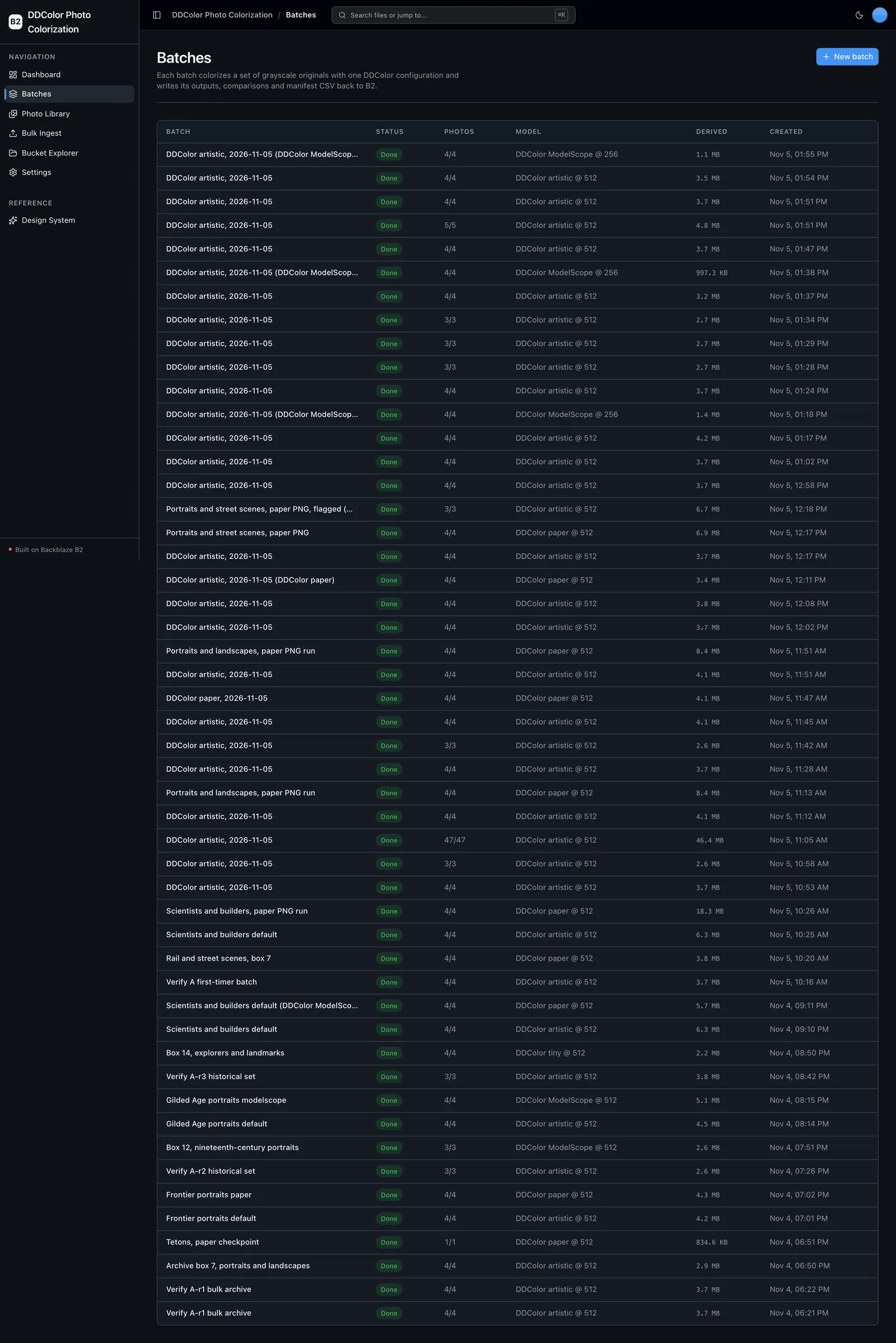
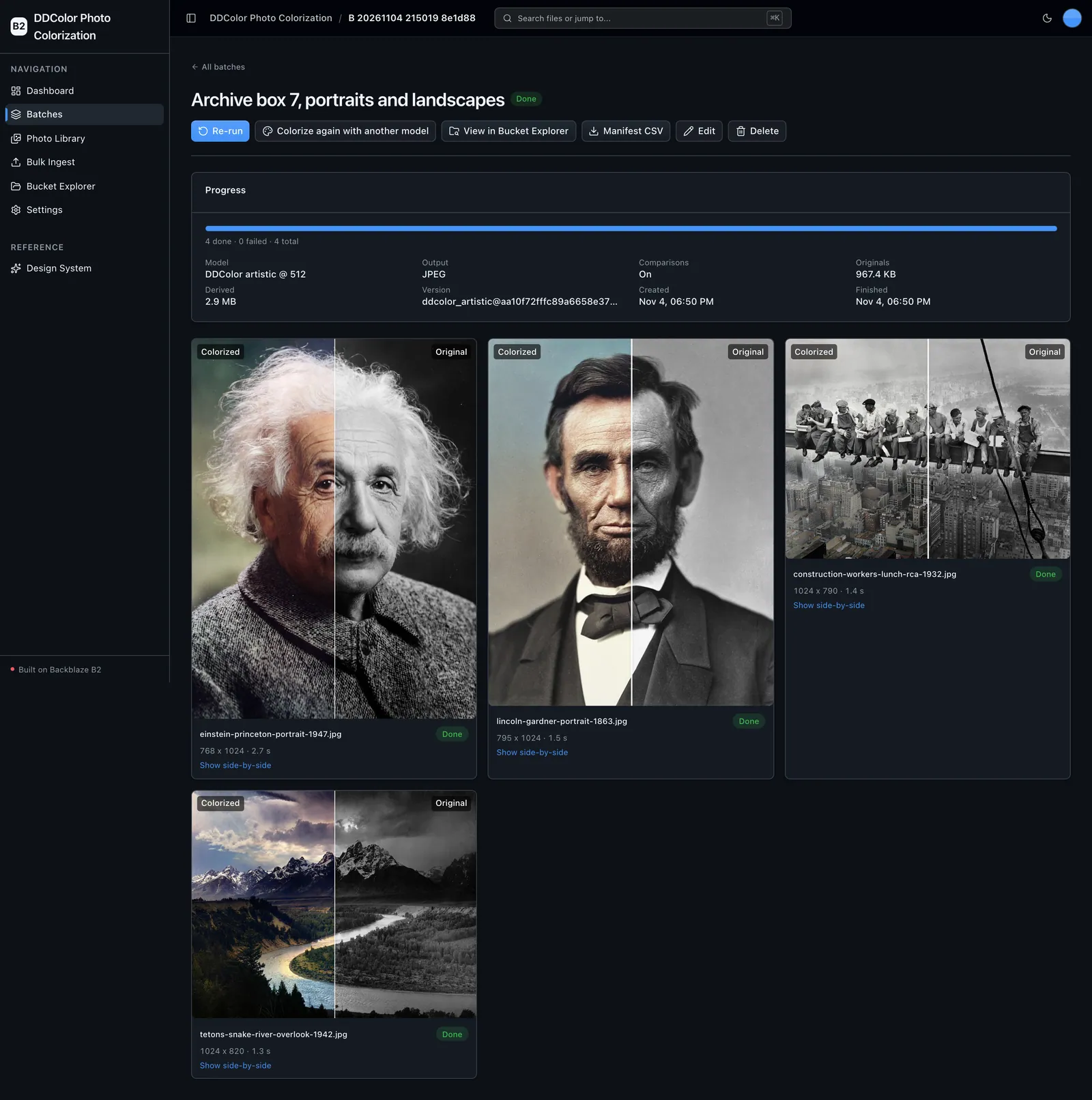
Create, edit, delete, and run colorization batches; each run writes colorized outputs, optional side-by-side comparisons, and a per-run manifest CSV back to B2.
Local DDColor inference
DDColor runs inside the API on CUDA, Apple MPS, or CPU, and recombines the predicted colour with the original luminance so outputs keep the scan's exact resolution.
Photo Library
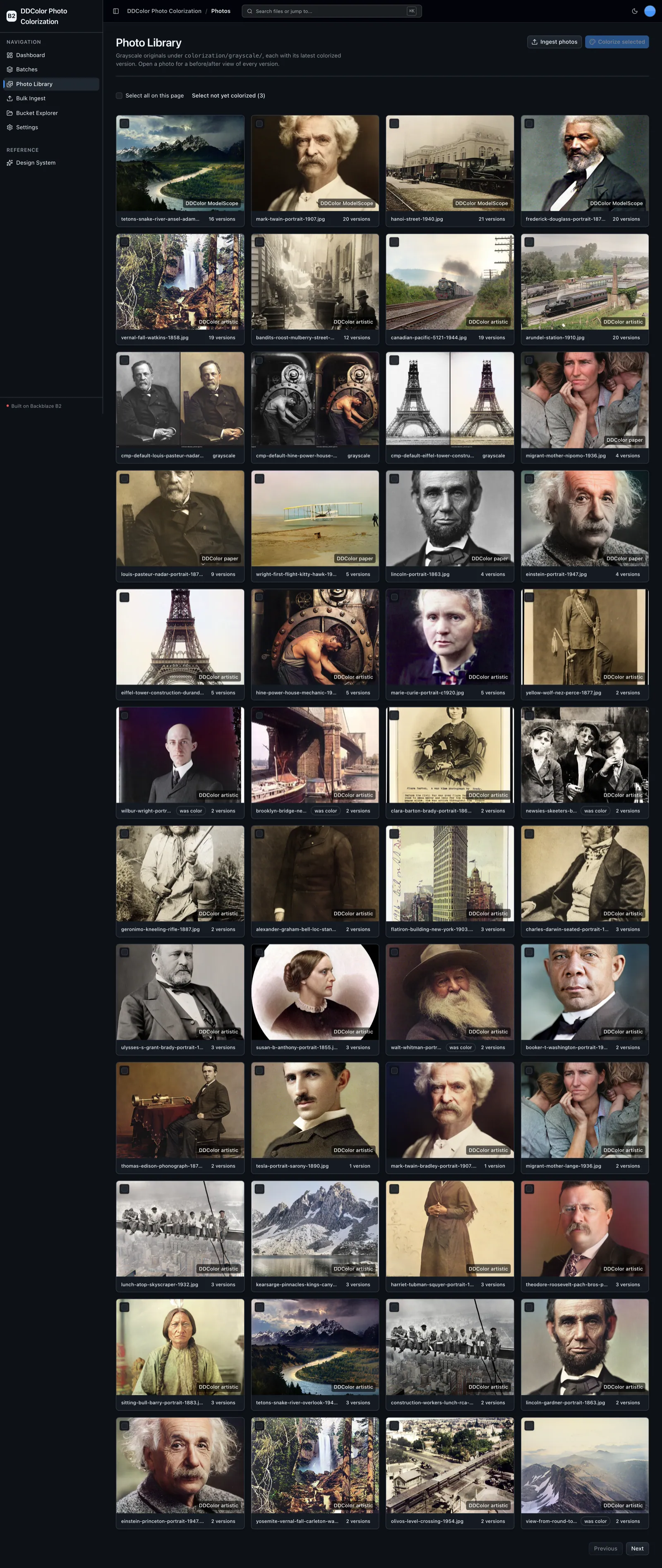
Grayscale originals with before/after views of every colorized version; originals are only ever read, never modified.
Bulk Ingest
Drag-and-drop many scans straight to the grayscale prefix in B2 by presigned PUT.
Dashboard
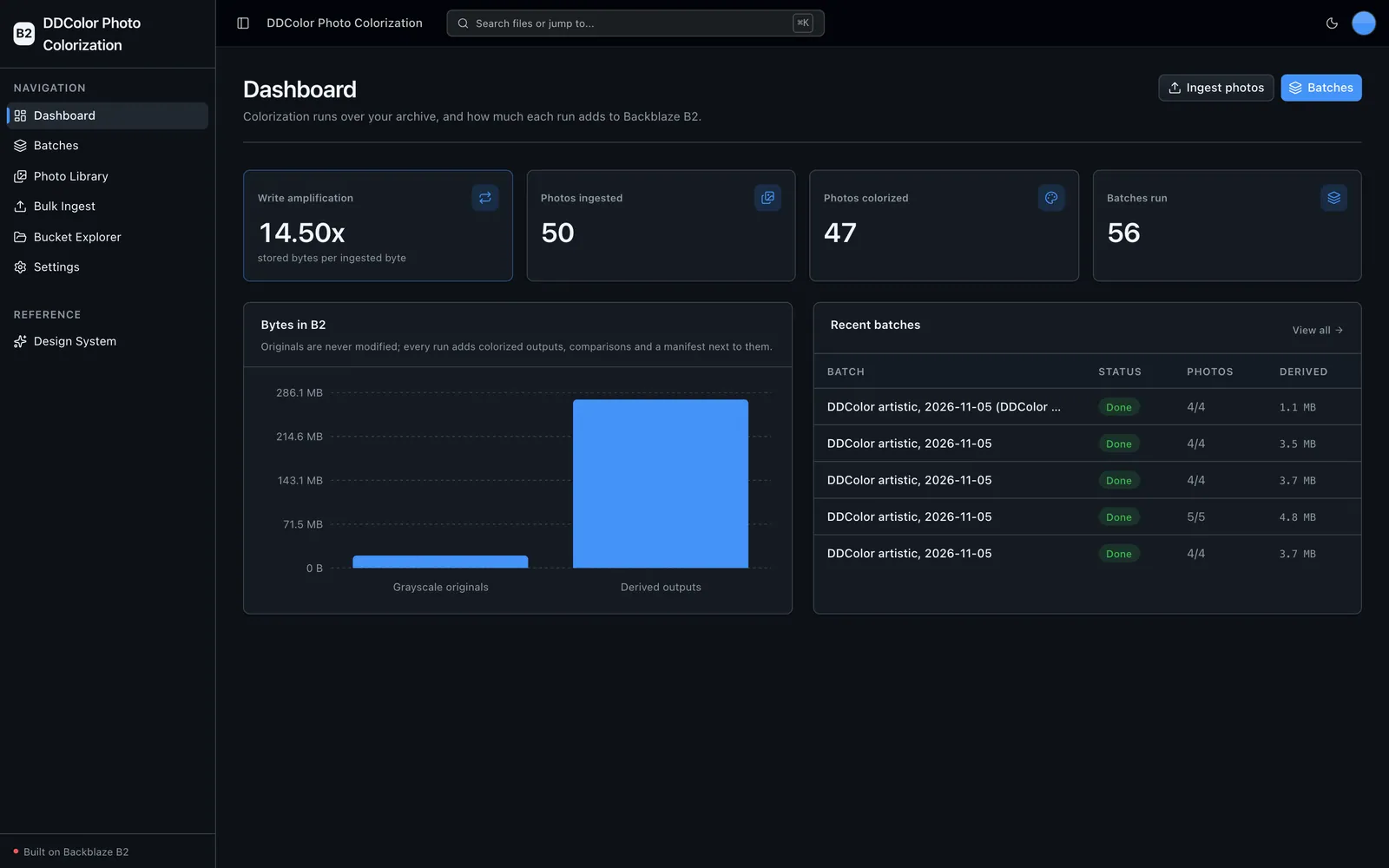
Photos ingested and colorized, derived bytes, and the write-amplification ratio of stored bytes per ingested byte.
Bucket Explorer
Browse, preview, download, and delete any object in the bucket from the app.
Provenance manifests
Each run's CSV records original and output keys, model id and Hugging Face revision, sizes, dimensions, duration, and per-photo status.
A closer look
More screens from the running project.
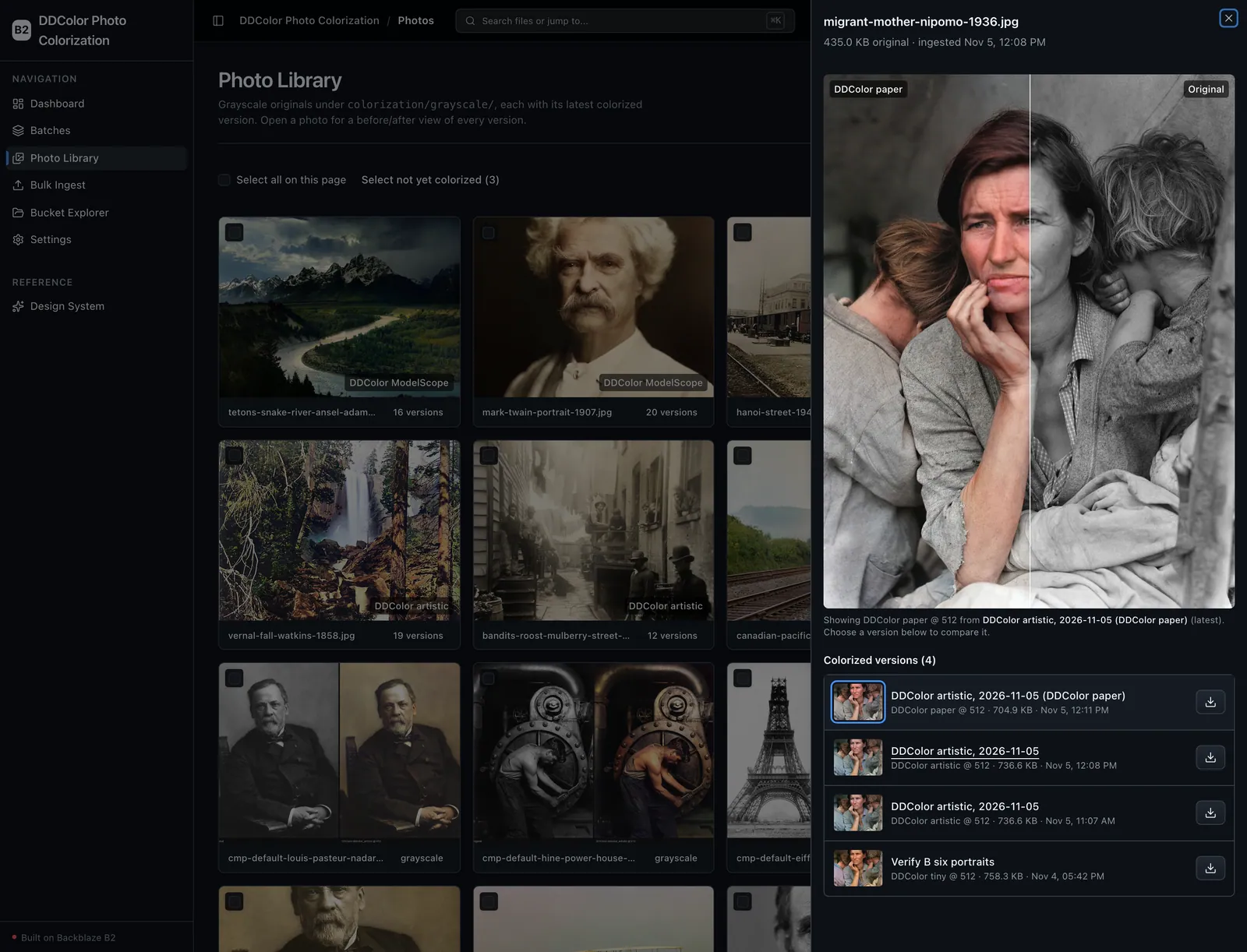
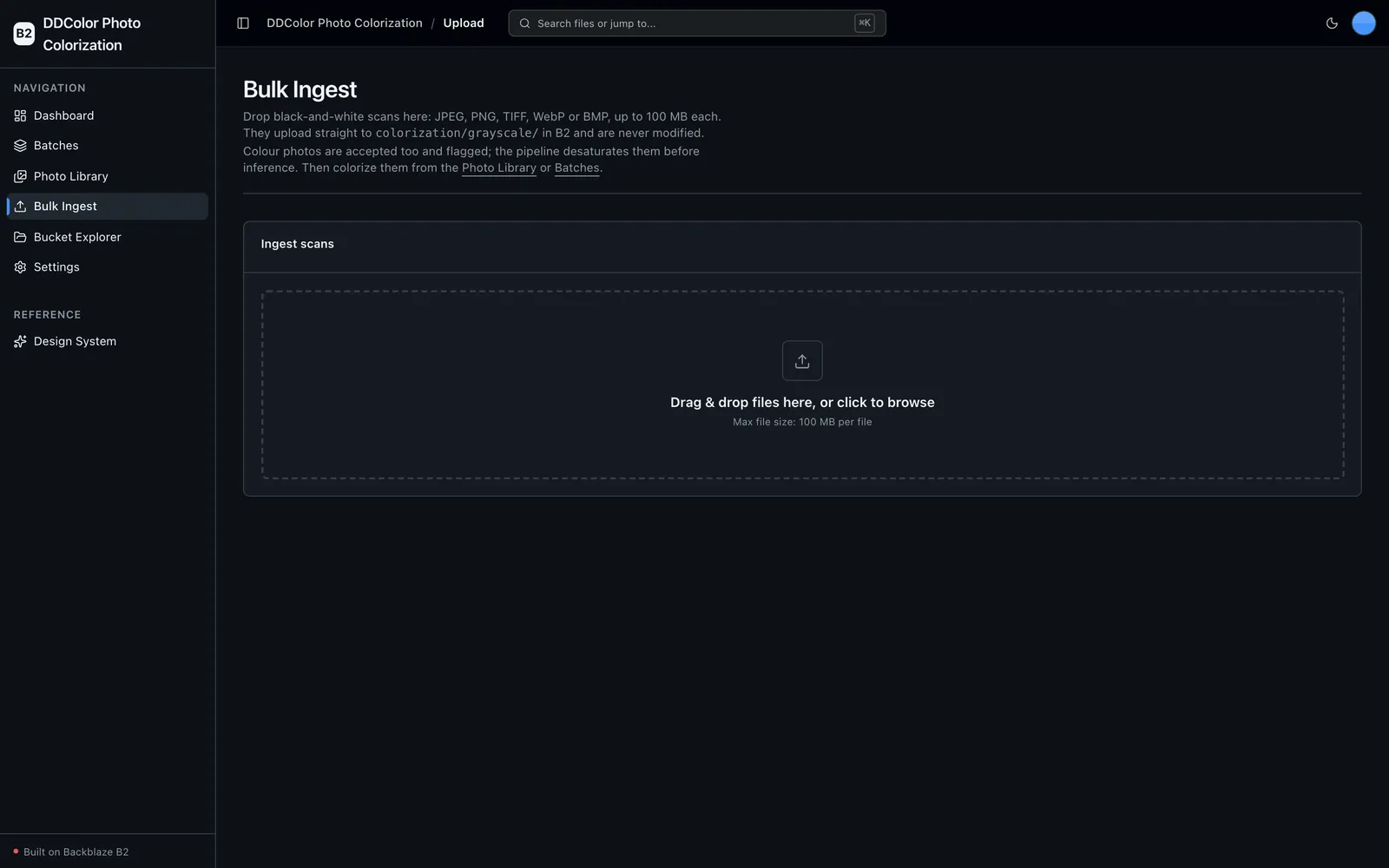
Choose it for the right job
DDColor Photo Colorization is a head start for a specific shape of project, not a supported, general-purpose product.
Use it when
- You run a digital archive or historical photo collection and want a self-hosted, reproducible batch colorization workflow.
- You need originals kept untouched in object storage beside every colorized version, with a manifest per run for provenance.
- You want to compare DDColor model variants on the same photos, keeping each version side by side.
- You want a working reference for running an open-source vision model over objects in Backblaze B2 through the S3-compatible API.
Choose another path when
- You need photo restoration: DDColor adds plausible colour but does not repair scratches, tears, or blur, and its colours are a model's estimate, not historical fact.
- You need a hosted multi-user service: the API has no authentication, user accounts, or tenant isolation and is meant for a trusted machine or private deployment.
- You want a serverless deploy: DDColor's PyTorch inference and its 220 to 900 MB weights do not fit in a serverless function, so the sample runs locally or on a container host.
Project status and support
Report defects and feature requests through the repository's GitHub Issues; the sample carries no SLA.