
TotalSegmentator Batch Pipeline
Batch medical-imaging pipeline that ingests raw 3D CT/MRI volumes to Backblaze B2, runs TotalSegmentator locally to produce multi-label masks over 100+ anatomical structures plus per-structure volumetric statistics, and writes the masks and stats back to a B2 derived prefix — with B2 as the sole storage layer. Next.js 16 + FastAPI over the B2 S3-compatible API.
Built for: Radiologists, medical-AI researchers and clinical data teams building a scalable segmented imaging dataset with Backblaze B2 as the sole storage layer.
What it's built with
Each piece of the stack, and the job it does in this project.
- Next.js 16 + React 19
- Dashboard frontend
- Tailwind v4 + shadcn/ui
- UI components and design tokens
- TanStack Query
- Data fetching, caching and cache invalidation
- Recharts
- Write-amplification and stats charts
- FastAPI (Python 3.12+)
- Backend API with a strict layered architecture
- boto3 + Pydantic v2
- B2 S3-compatible access and validation
- TotalSegmentator, PyTorch, nnU-Net v2, nibabel
- Optional on-device segmentation engine
- Backblaze B2 (S3-compatible)
- Sole storage layer
Core capabilities
What the project does out of the box, before you write any code of your own.
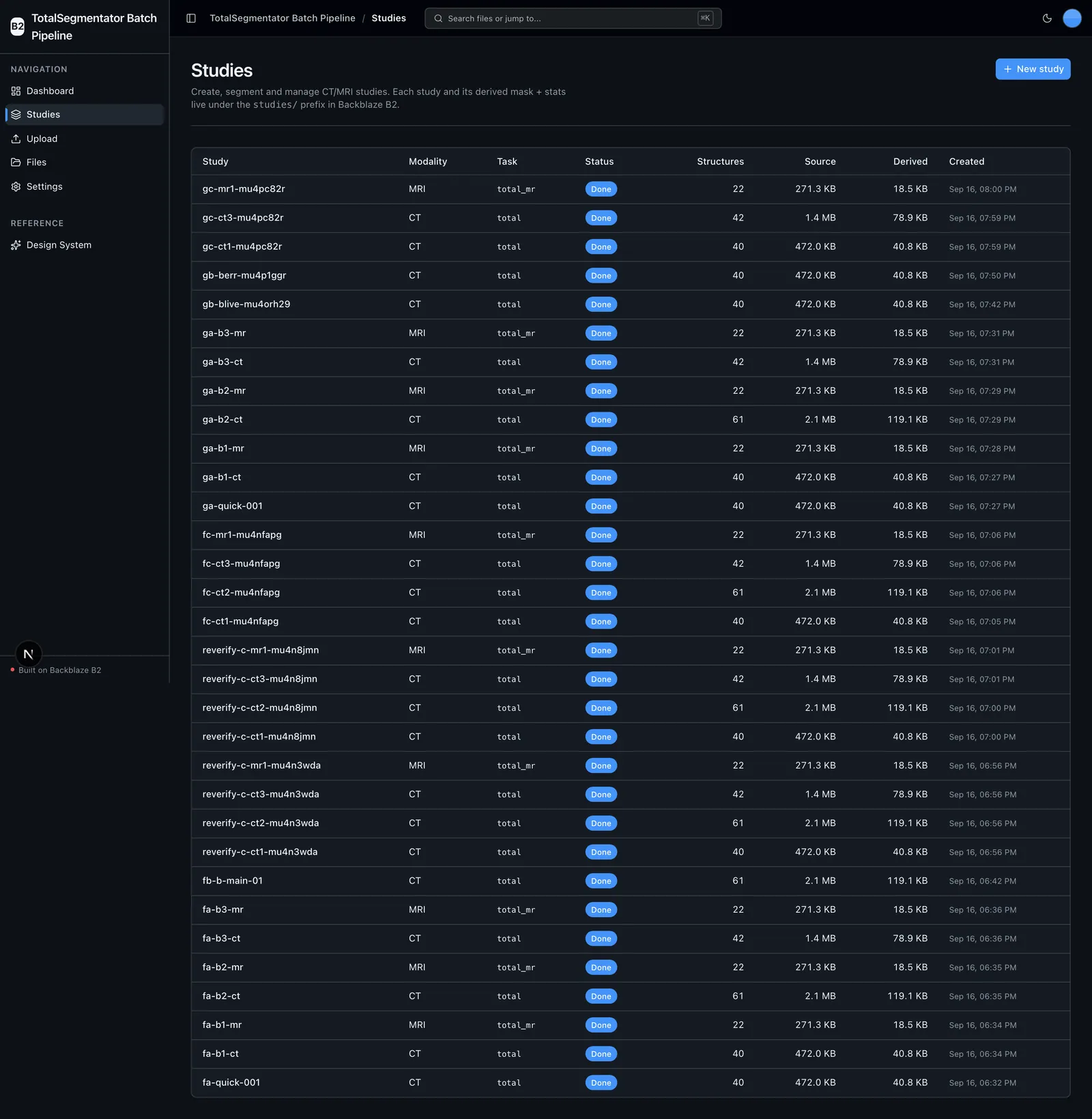
Study Library
Browse, create, edit, delete and segment CT/MRI studies.
Segmentation
Run TotalSegmentator locally to produce a 100+ structure multi-label mask.
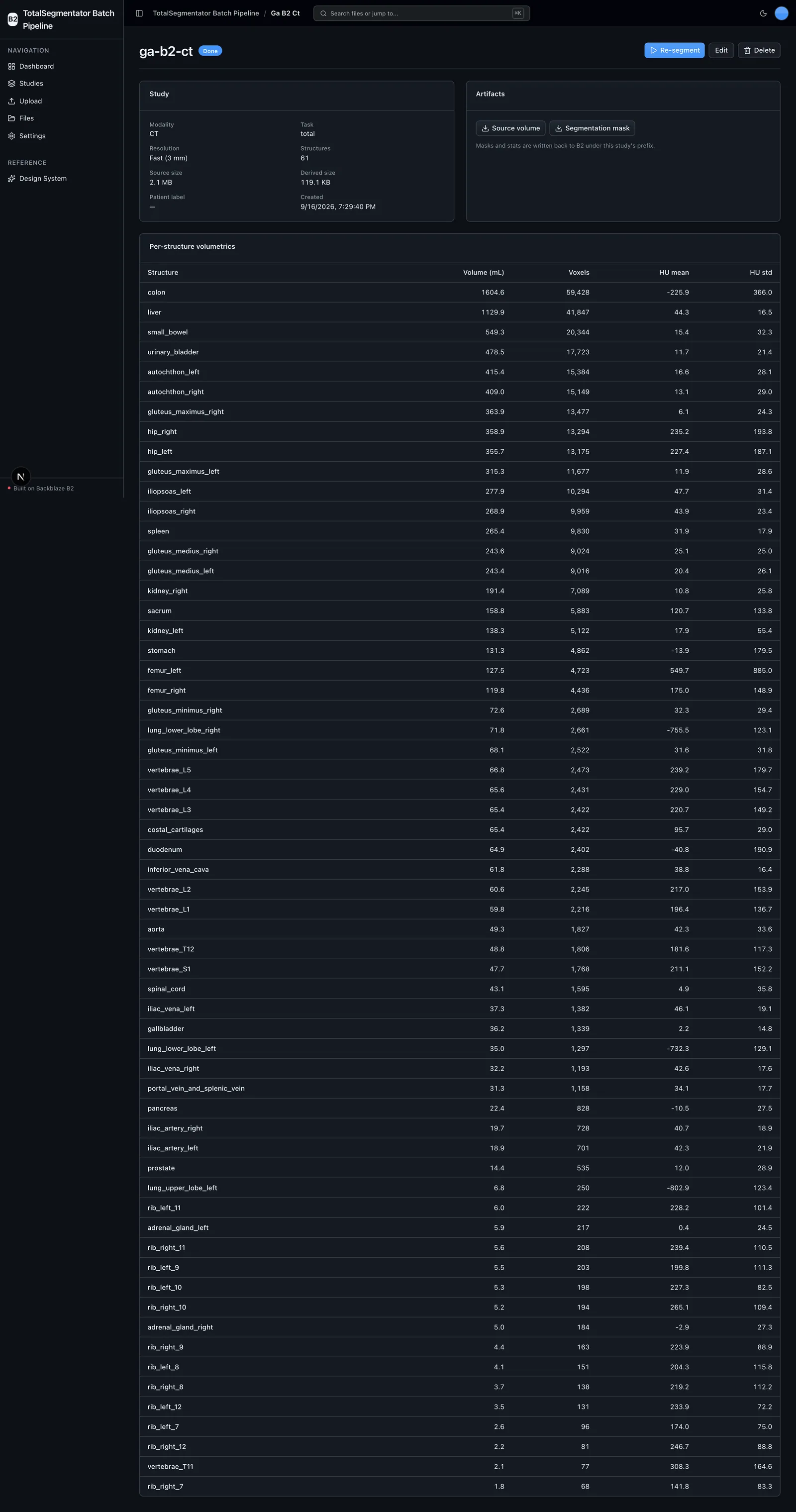
Volumetric Stats
Per-structure volume (mL), bounding box and CT Hounsfield stats as JSON.
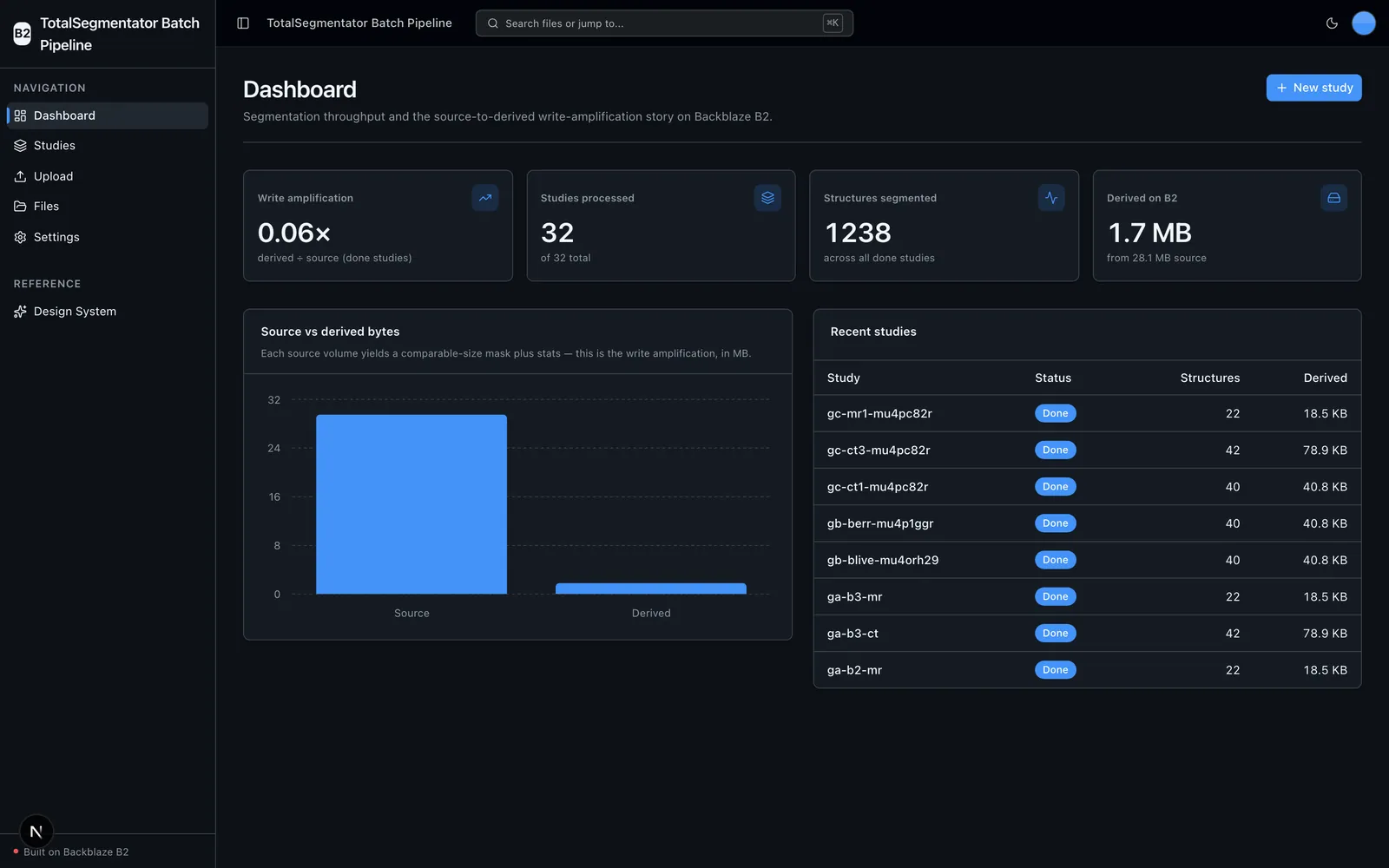
Dashboard
Studies processed, structures segmented, and source-to-derived write amplification.
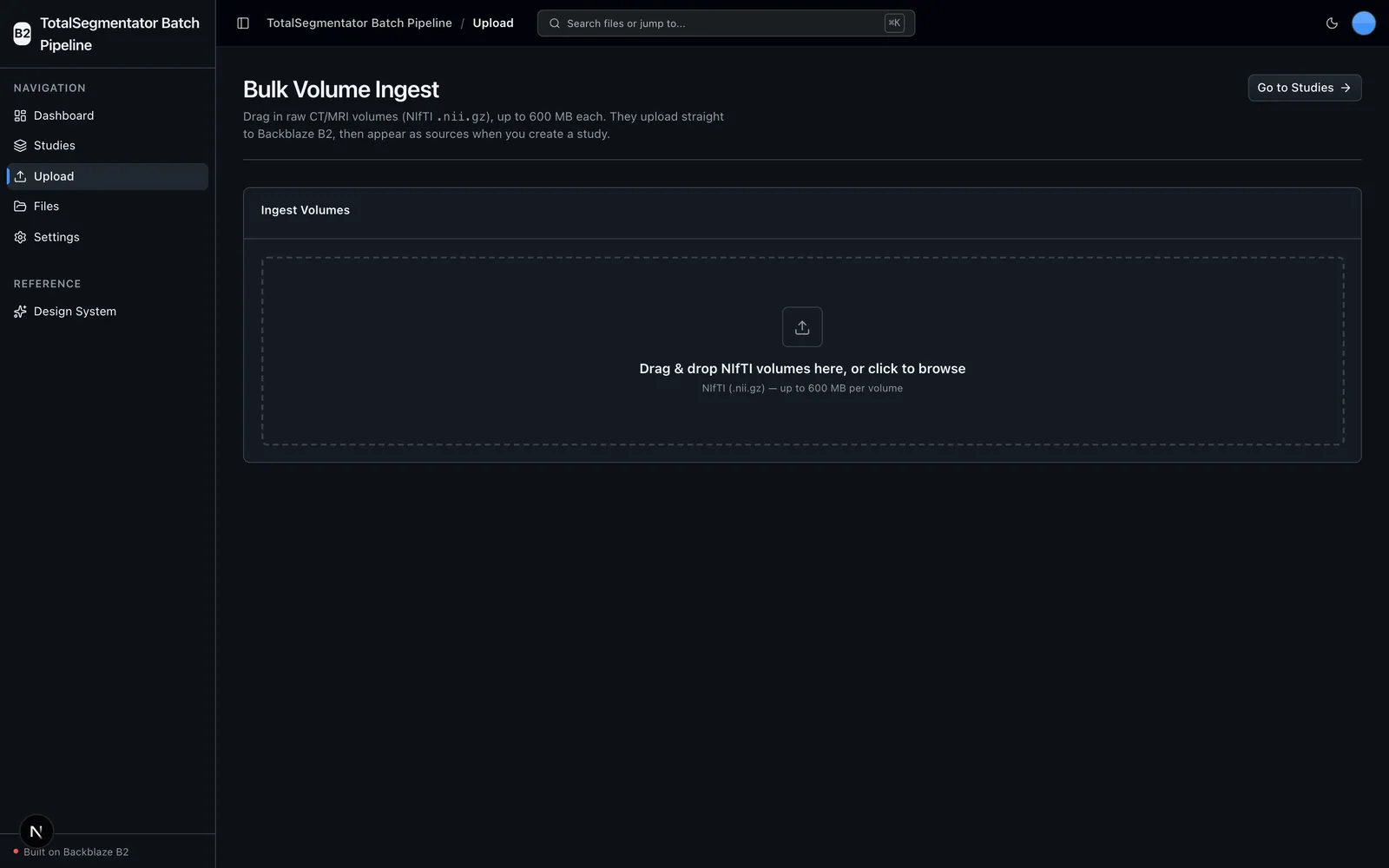
Bulk Volume Ingest
Drag-and-drop bulk upload of NIfTI volumes to the B2 source prefix.
Bucket Explorer
Full-bucket browse, preview, download and delete.
A closer look
More screens from the running project.
Choose it for the right job
TotalSegmentator Batch Pipeline is a head start for a specific shape of project, not a supported, general-purpose product.
Use it when
- You want a working batch pipeline that ingests raw CT/MRI volumes and segments 100+ anatomical structures with B2 as the only storage layer.
- You need per-structure volumetric statistics — volume, bounding box and CT Hounsfield stats — written back to B2 alongside each mask.
- You want to demonstrate the write-amplification storage pattern at PACS scale, where each source volume yields comparable-size derived data.
- You are starting a medical-imaging app and want the scaffolding, storage wiring and agent-facing docs already done.
Choose another path when
- You need clinical diagnosis or plan to feed it real, identifiable patient data — it has no authentication, tenant isolation or PHI handling and expects synthetic phantoms or de-identified volumes.
- You need the bulk segment action scoped per batch or per user — 'Segment all pending' is account-wide and unscoped, built for a single-user local demo rather than shared or multi-user deployments.
- You need high-throughput parallel inference — segmentation runs are serialized one at a time to avoid heavy-ML contention.
- You cannot install the optional ML extension (TotalSegmentator, PyTorch) on a CPU or CUDA host — the core install runs everything except the segmentation step.
Project status and support
Community sample with no SLA; report problems via the repository's GitHub issues at https://github.com/backblaze-b2-samples/totalsegmentator-batch-pipeline/issues.